Grey IU & GU Plants
Permit Accept & Submit TBT by Permit Requester
Objective: It allows user to view the Permit with History & status and Submit the TBT.
- Login as Permit Requester review the Issued Permit. Go to Permit tab and click on the ‘Issued’ section the Issued permit is appearing here.
- User can Perform ‘Submit TBT’ from issued section for Submit TBT user have to attaché and upload a file.
- The file format should be (.JPEG, .PNG, .BMP, .XLS, .XLSX, .DOC, .DOCX, and .PDF).and Total attachment files size upload limit up to 5MB and number of file attachment allow up to 5.
- Permit Requester must select below check box before accepting / (making live) the work permit.
- Energy Isolation verified at Equipment under Try out procedure after Energy Isolation/LOTO.
- Additional safety measures like Emergency Switch, Stop Button, Pull chord, wedge & other mechanical device applied.
- After user Accept the permit, the Permit will move to the Live Section from issued Section.
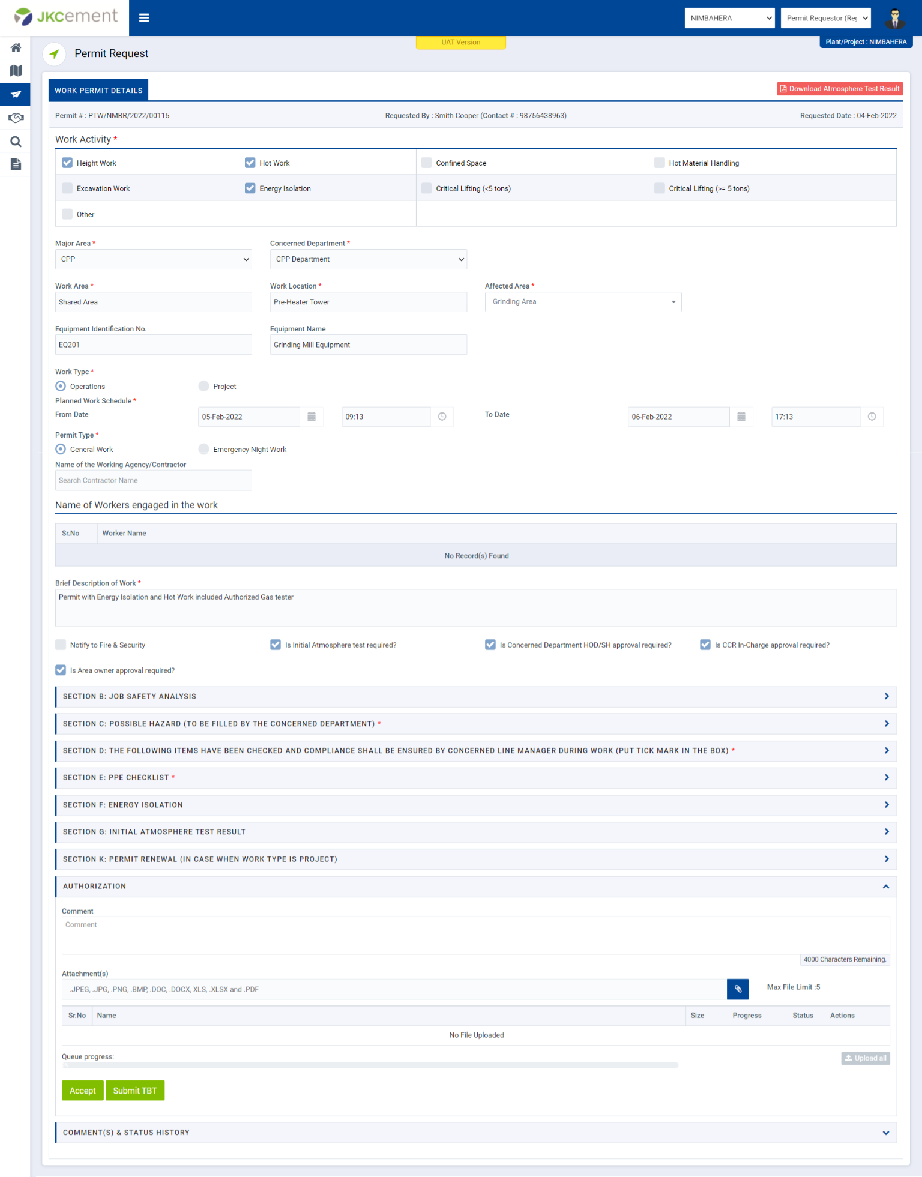
Image 1