Grey IU & GU Plants
Isolation by Electrical Isolation Officer
Objective: It allows user to view the Permit and Isolate all the Equipment(S).
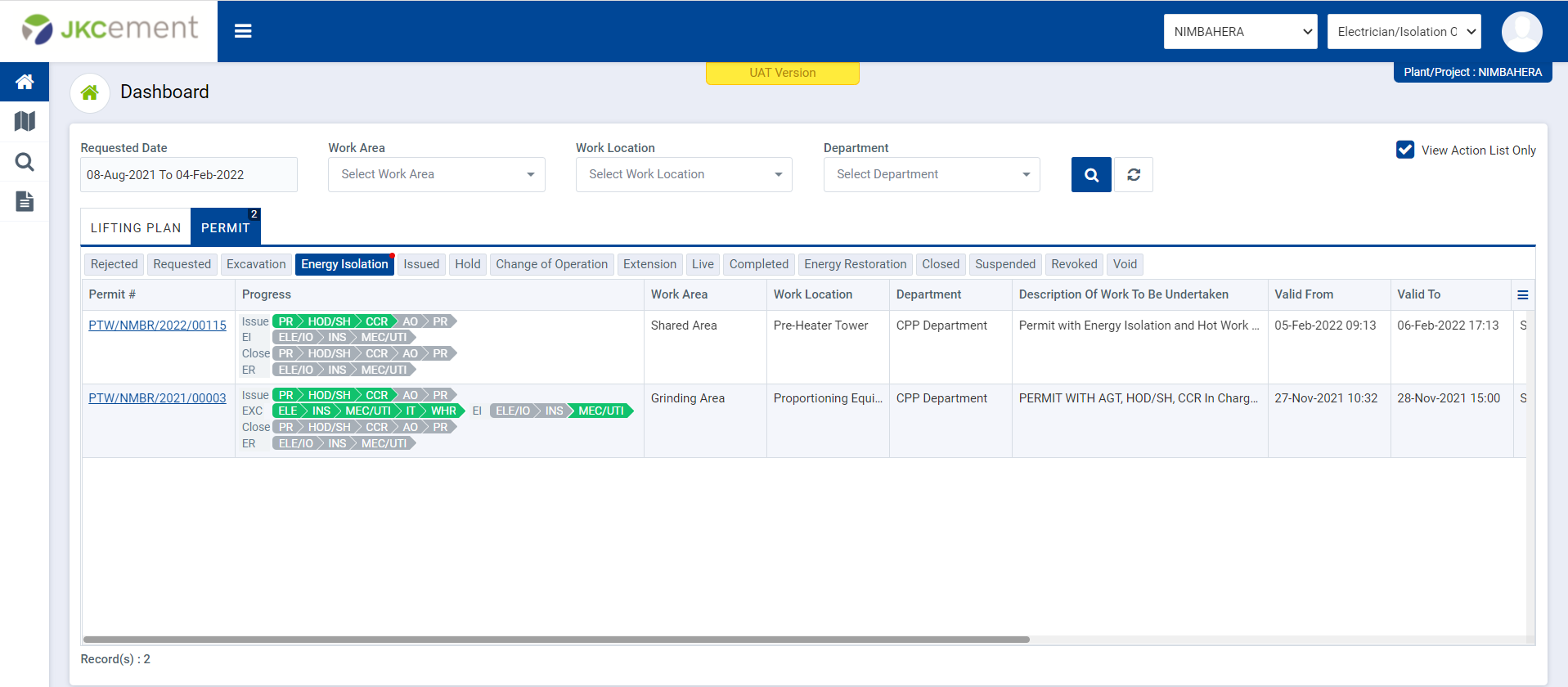
Image 1
- Login as Electrical Isolation officer and isolate all the equipment.
- By default, all pre-filled data will be automatically filled and it will be disabled.
- Click on view/edit button User have to fill all required field of Electrical isolation details form.
- If user selecting “If Disconnected?” check box then the “Motor No” field and “Connection Diagram” Attachment is required. After fill all the required field User can able to save the Electrical isolation details form.
- Select ‘Is isolated’ option ‘Yes’ or ‘No’.
- User must select all the checkbox under ‘Action Taken for Isolation’ to save Isolation derails.
- After click on “Isolate” button the permit moves forward to the Next Approval Authority user.
- Enter Isolated by Name
- User can save the isolation details by click on “Save as Draft” button.
- After click on “Isolate” button the permit moves forward to the “Permit Requester” user.
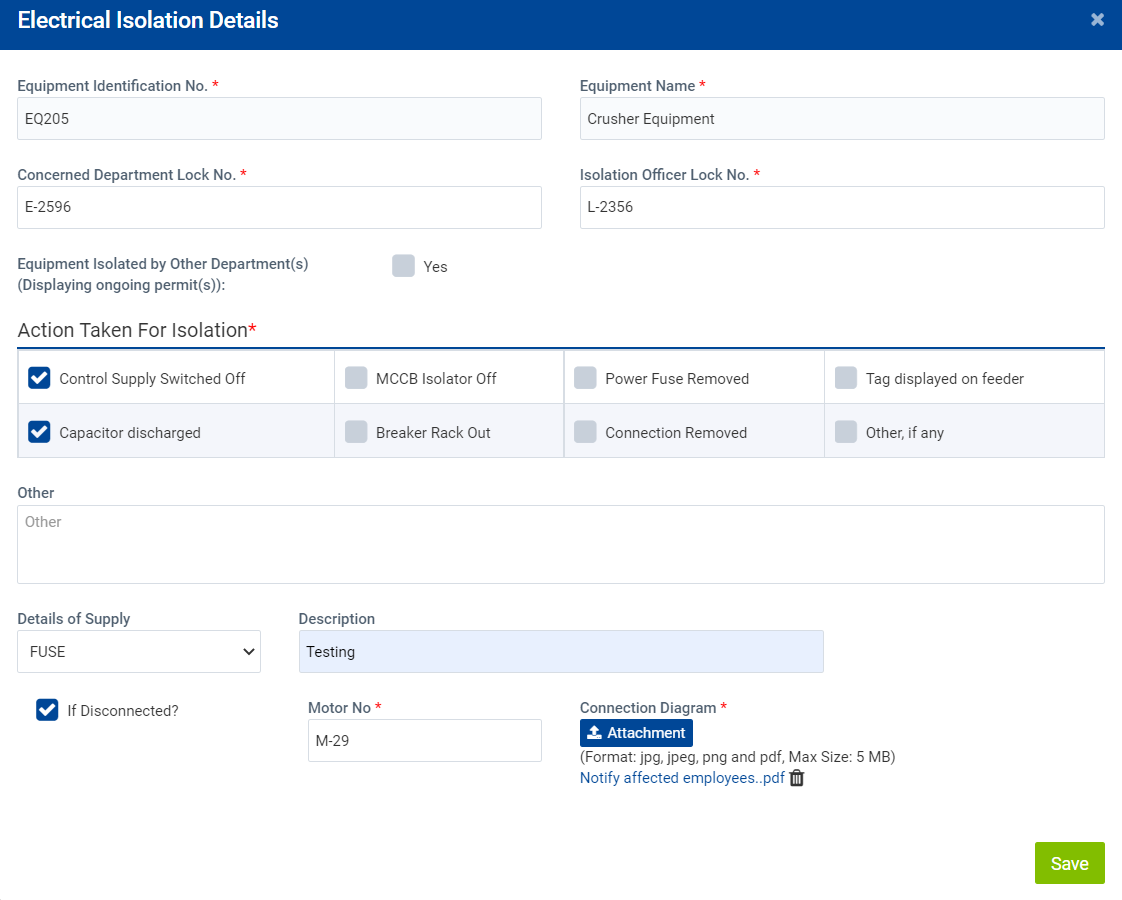
Image 2