Grey IU & GU Plants
Review lifting plan by hod?
- Login as Department HOD and Go to Lifting Plan Dash-board.
- The lifting Plan will move to the Department HOD for lifting Plan Approval after Permit Requester Submit the Permit with Lifting Plan.
- Click on “Requested Lifting Plan No.” to review the Permit and Approve/Reject the Permit.
- Here HOD can reject/Approve the lifting Plan.
- By default, all pre-filled data will be automatically filled and it will be disabled.
- If CCR In-charge user and Area Owner user is added in Permit then only the Lifting Plan approval Request will move to them as respectively, otherwise after Approve the Lifting Plan by HOD the Lifting Plan flow will be close, and it will be move to the Permit Requester.
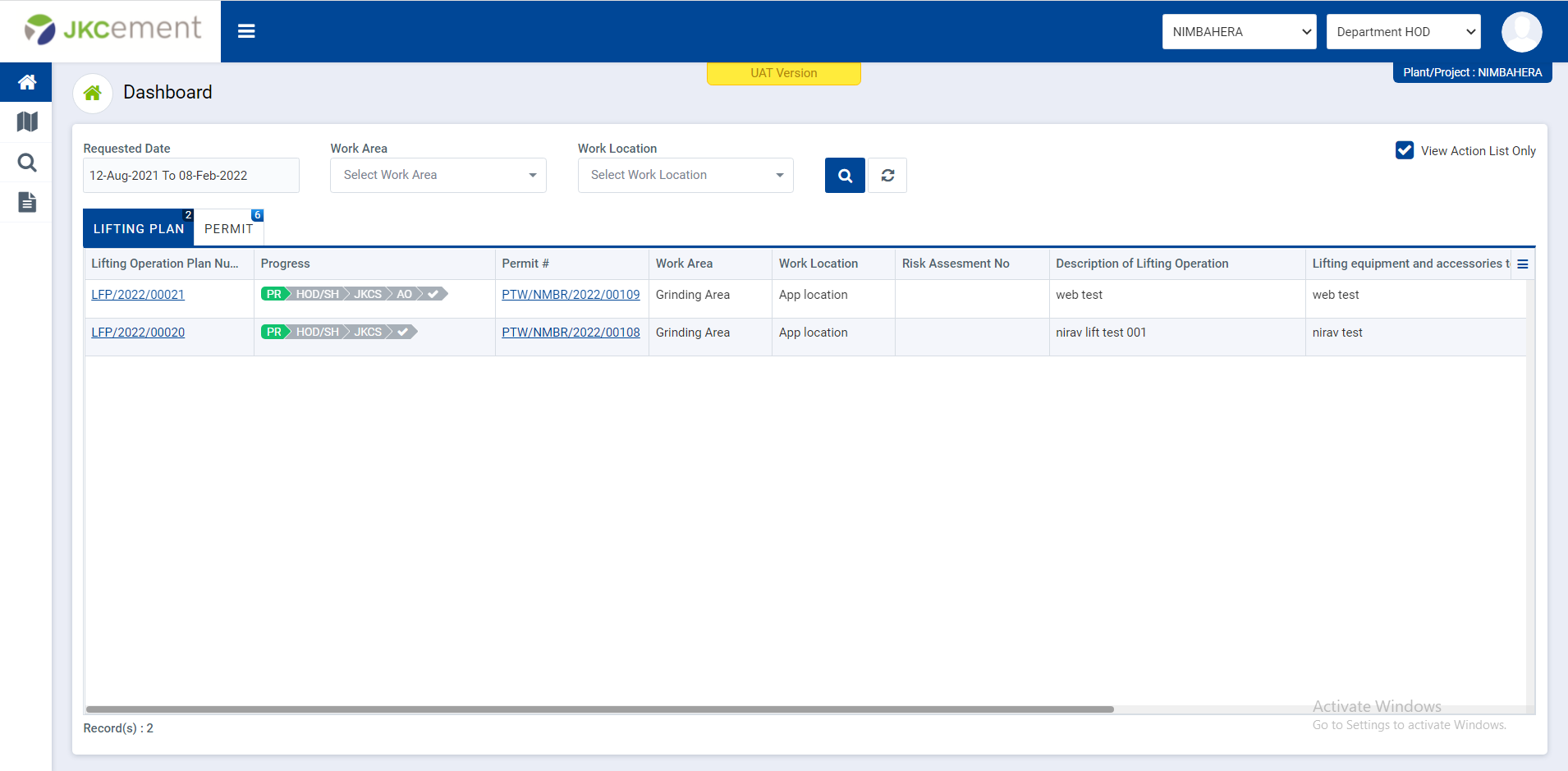
Image 1